Personal Area
After successful login, users can access the personal area page
My Accounts
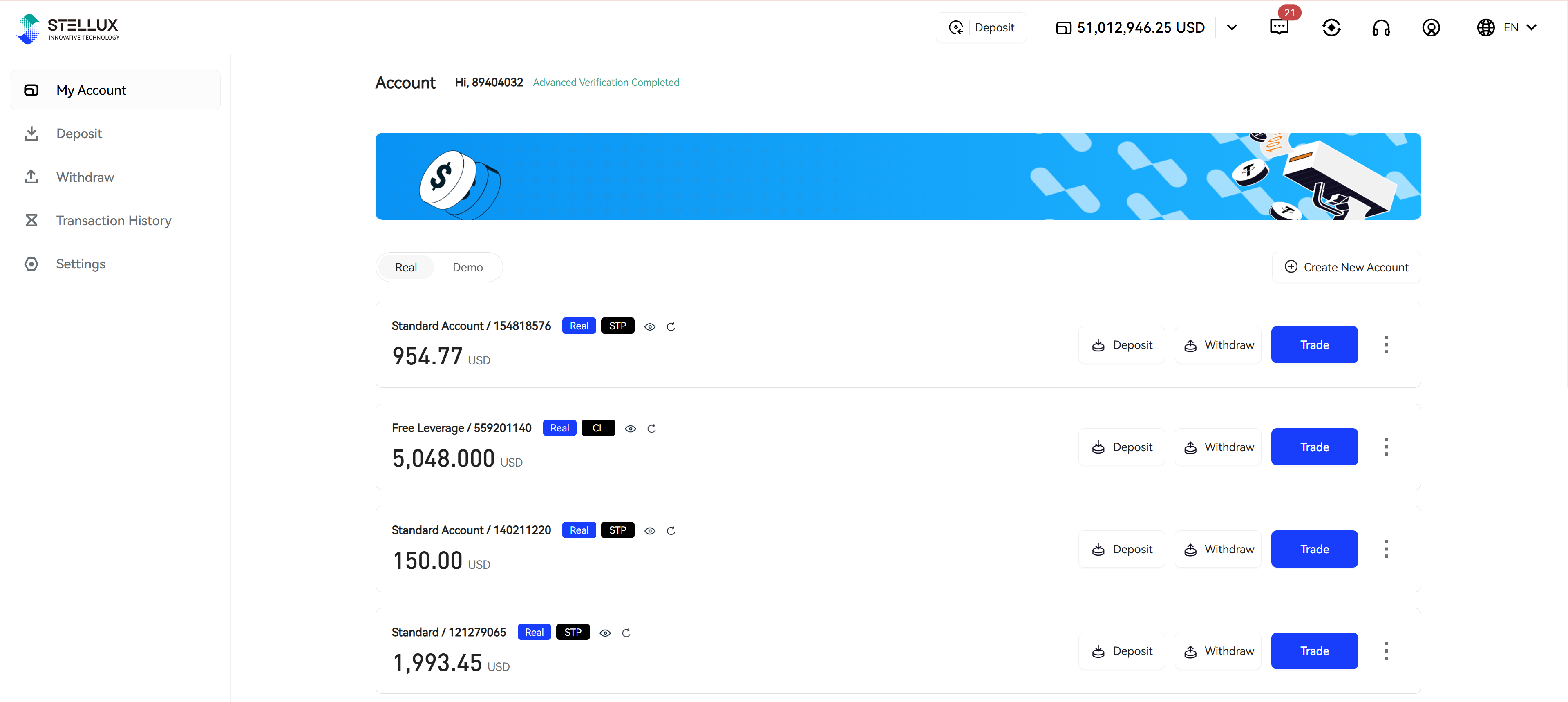
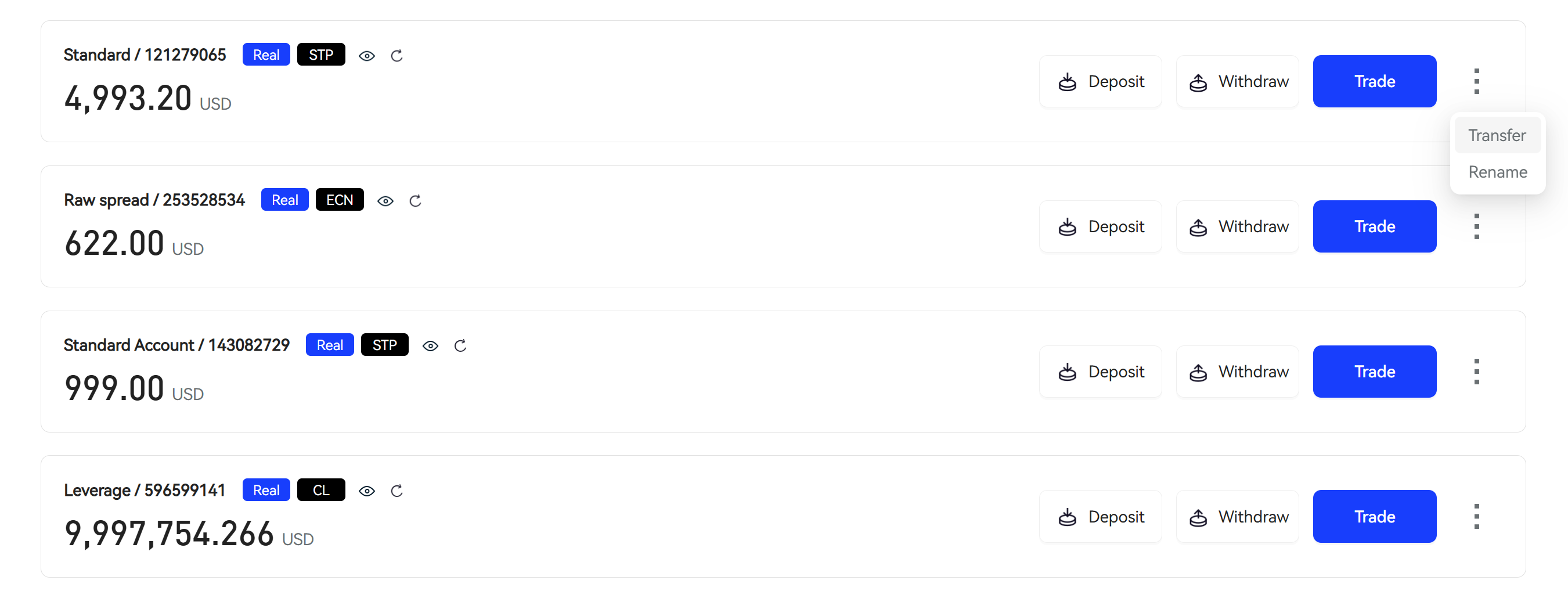
In "My Accounts", you can view all current trading accounts and their basic information
-
Account Name - Name set by the client when creating the trading account
-
Account ID - Unique identifier for the trading account
-
Real/Demo - Label distinguishing between real and demo trading accounts
-
Account Tag - Type label of the account group to which the current trading account belongs, configured by the management end
-
Account Balance - Account's available funds + occupied funds
Function Keys
-
Trade - Click to enter the Trading Page
-
Transfer - Perform transfer operations on the current trading account (requires verified clients)
-
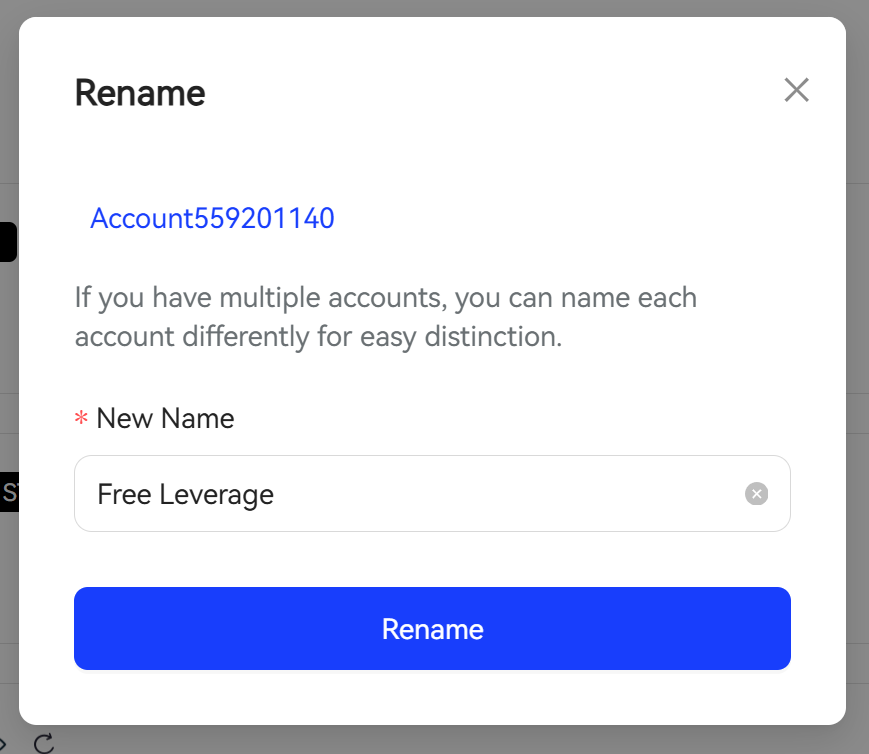
Rename Account - Reset the name of the current account
-
Create New Account - Click to enter the New Trading Account Process
Transfer refers to fund movement at the trading account level, different from client deposits and withdrawals
Deposit/Withdrawal Records
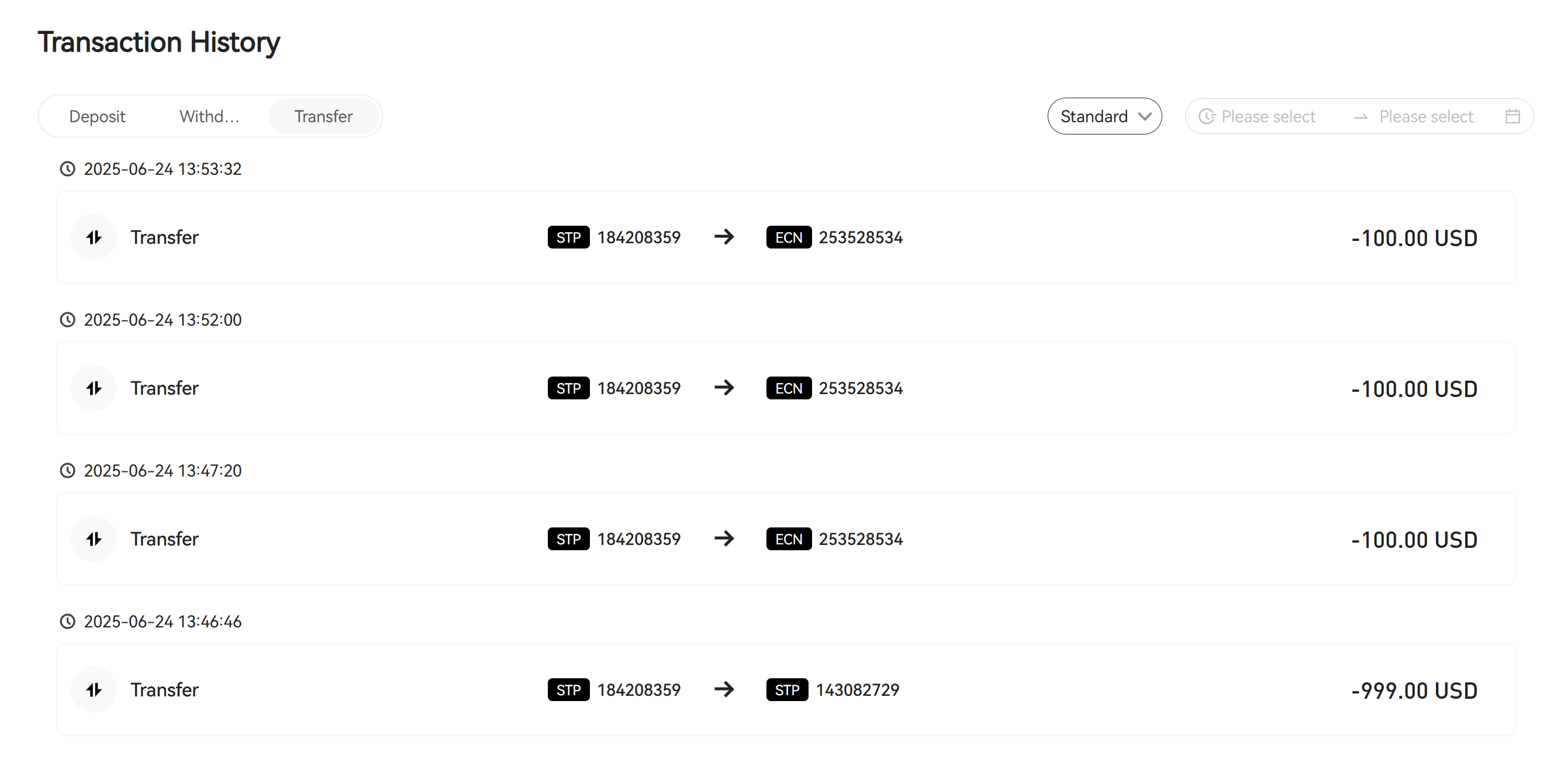
Deposit/withdrawal records display the following information:
-
Fund Type - Currently there are three types:
-
Deposit
-
Withdrawal
-
Transfer
-
-
Trading Account Information - Records the trading account related to fund changes
-
Amount - Amount of fund changes
You can search by trading account and fund change time.
Settings
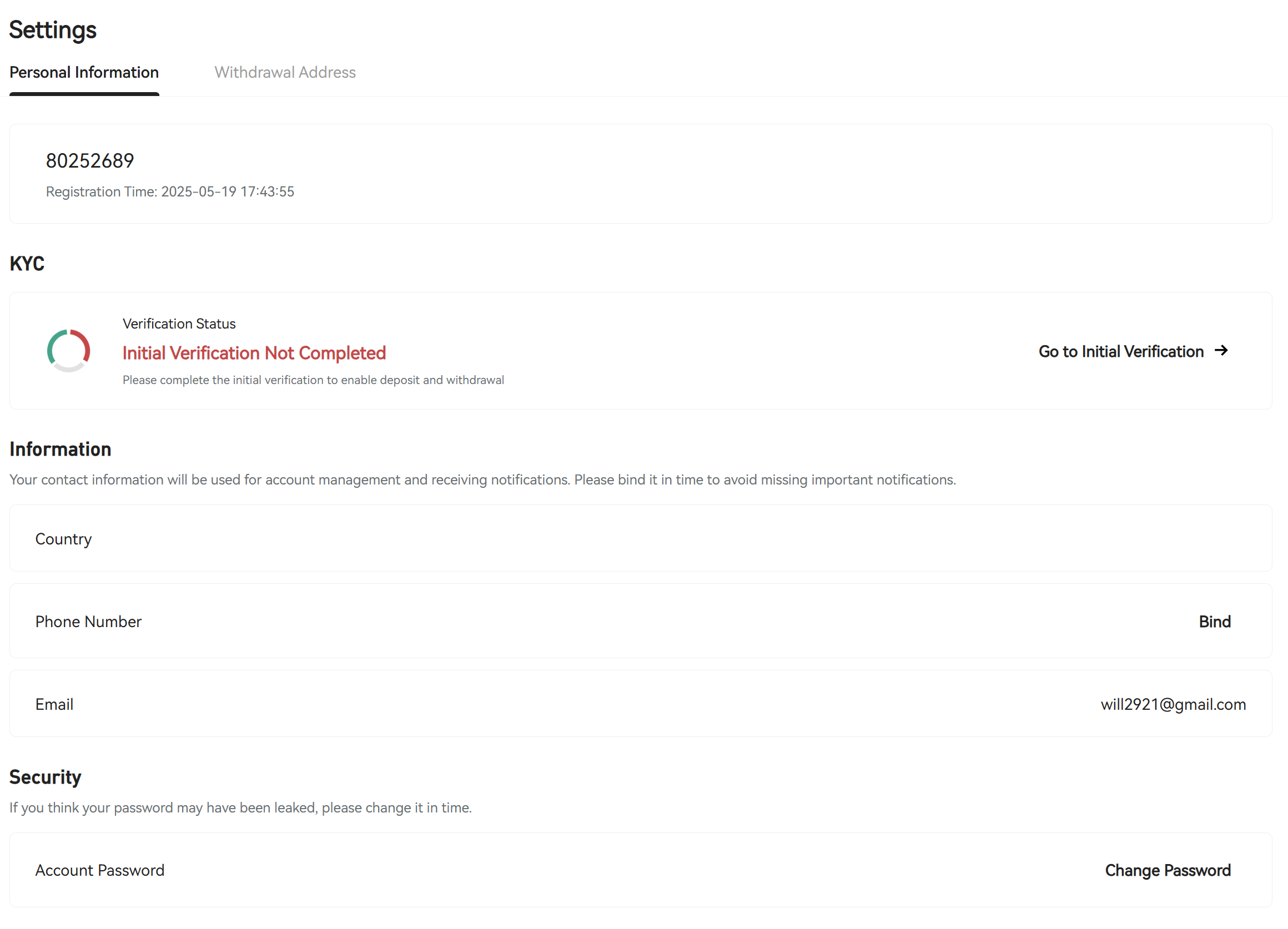
Settings include account status information (verification status, deposit level), binding information, password management, and security verification methods
Security Settings
-
Account - When identity verification is incomplete, click "Complete" to proceed with the Identity Verification Process
-
Verification Steps - After successful verification:
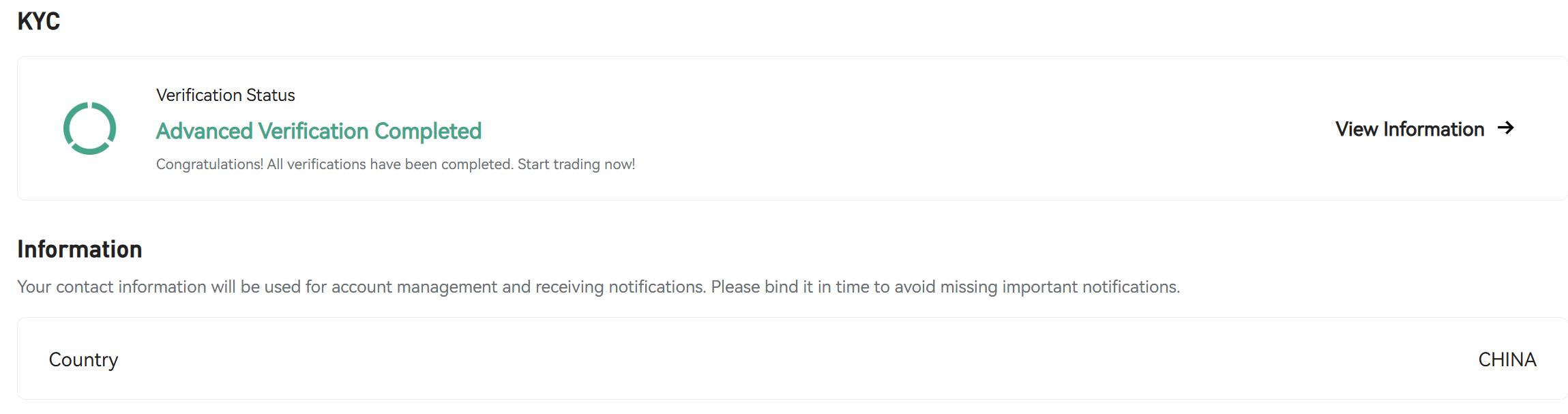
Account Management
Password change function, as shown below
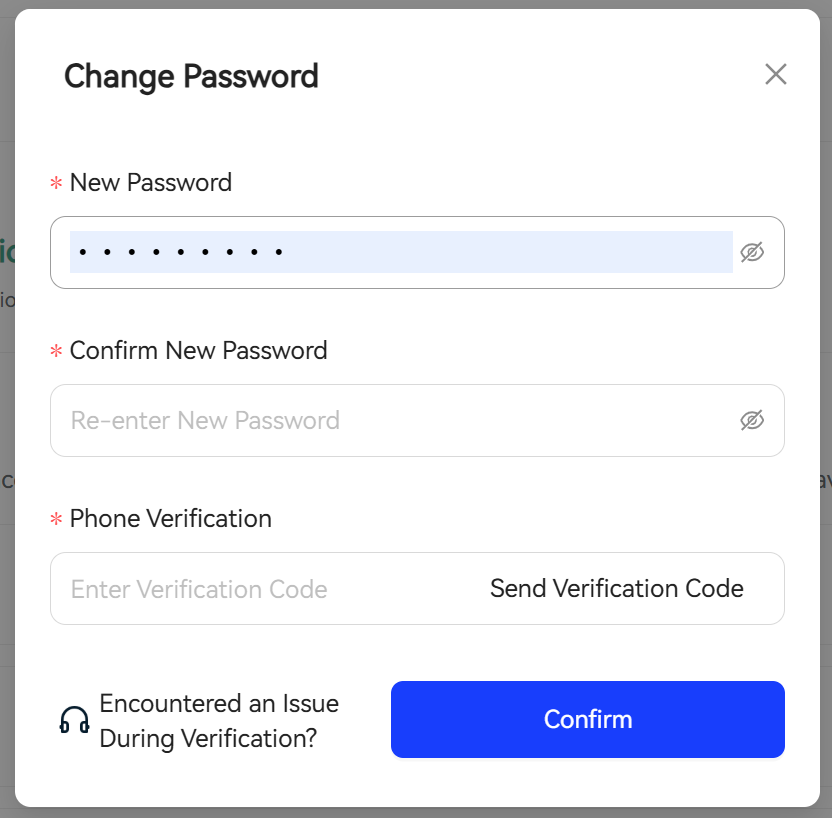
Requires original email verification
New Trading Account
In "My Accounts", click "Create New Account":
Step 1: Select the account type you want to add, refer to backend configuration for displayed data
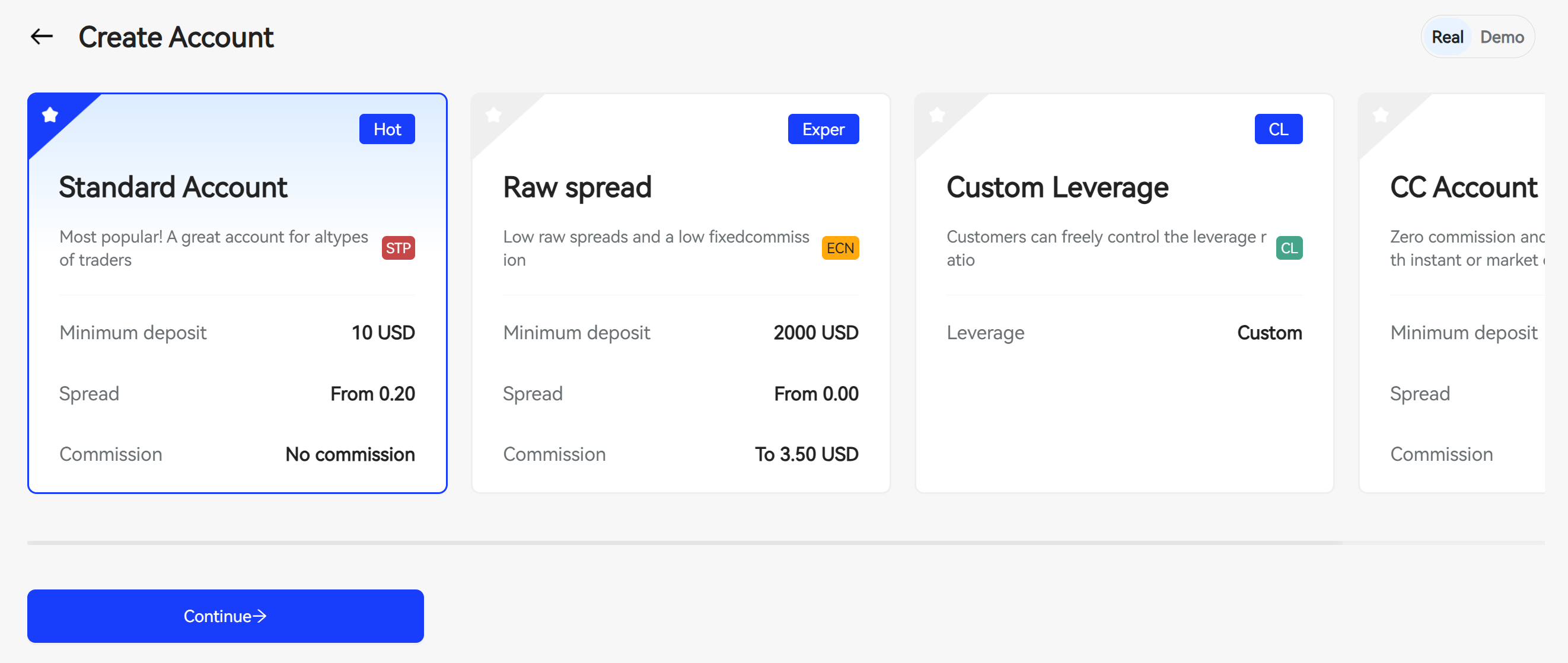
Step 2: Set name
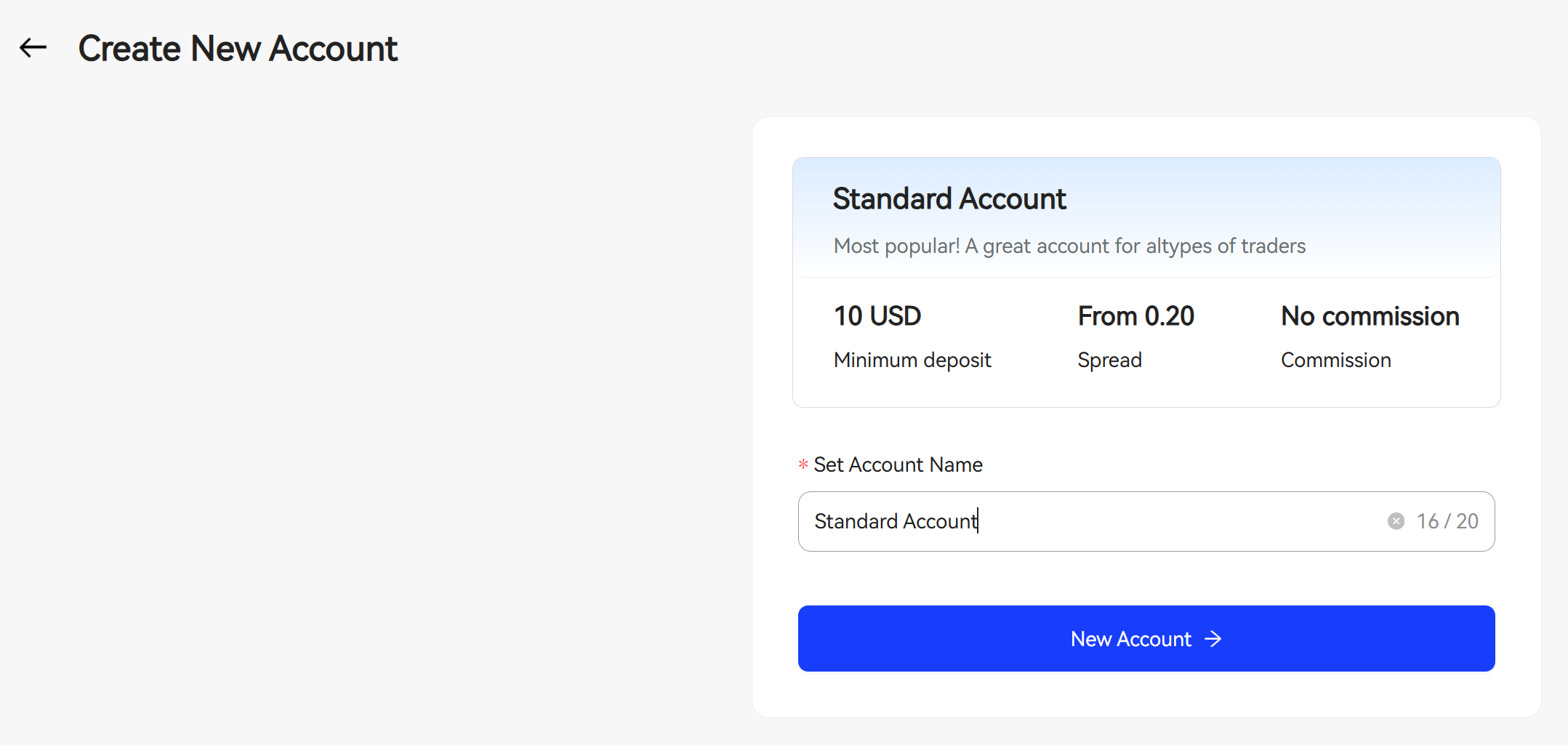
Step 3: Complete creation
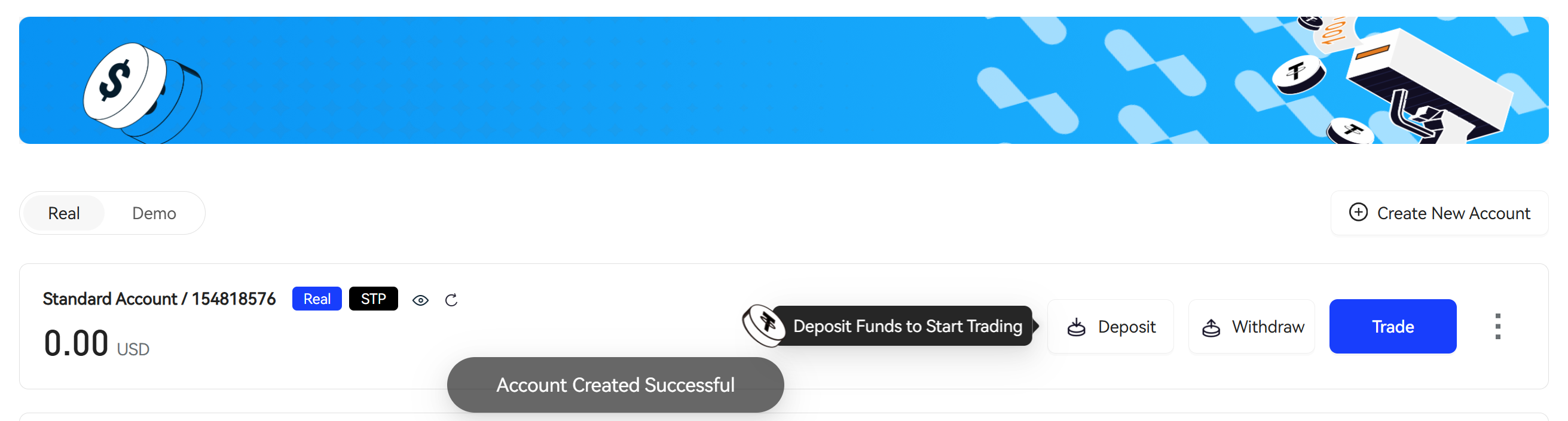
Account Verification
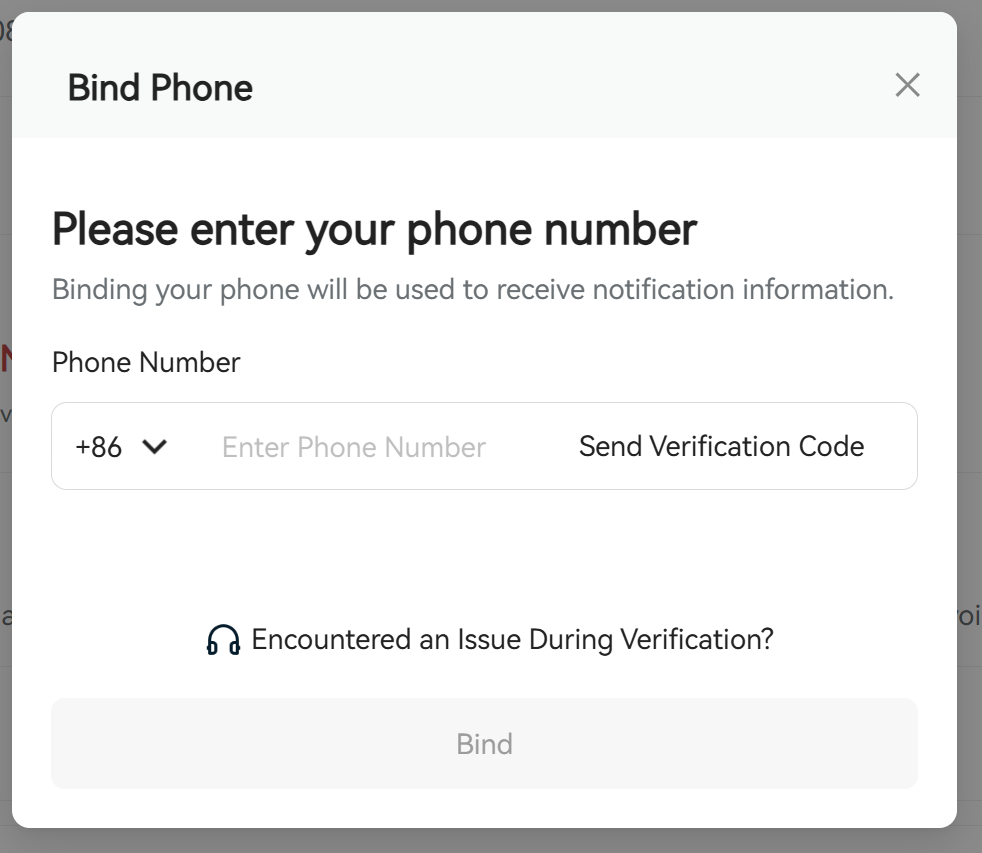
Step 1: Bind phone number
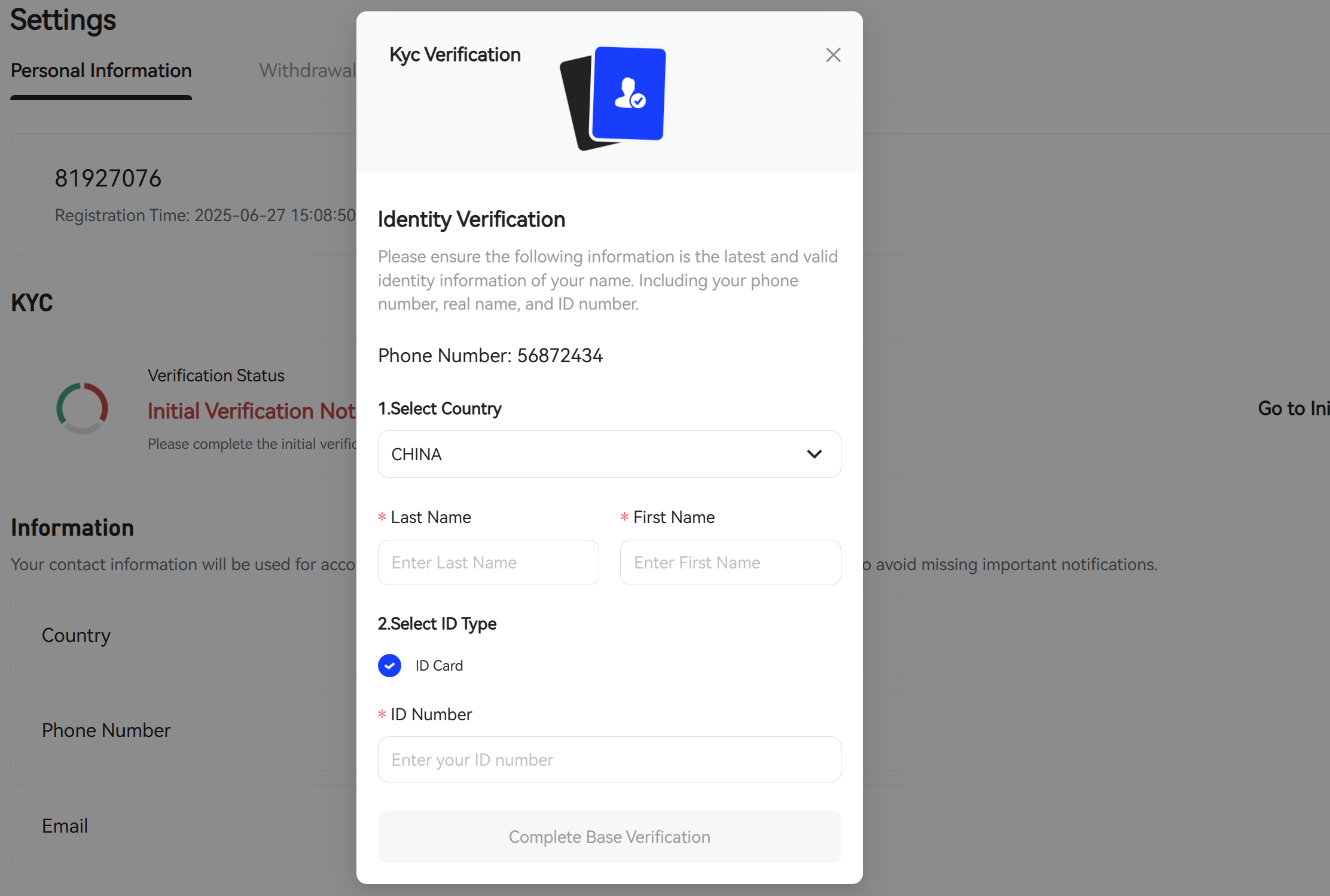
Step 2: Fill in identity information
Step 3: Submit identity documents
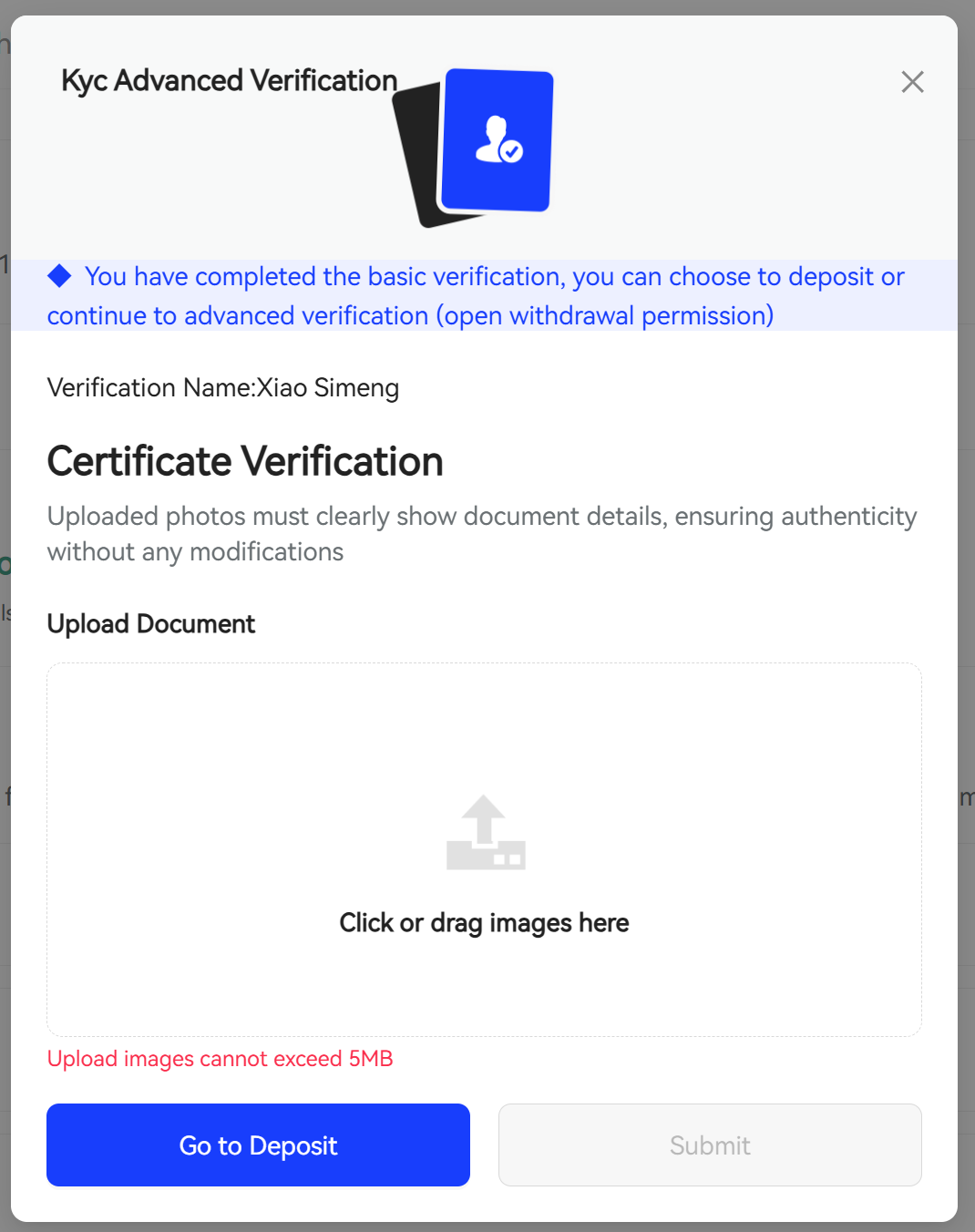
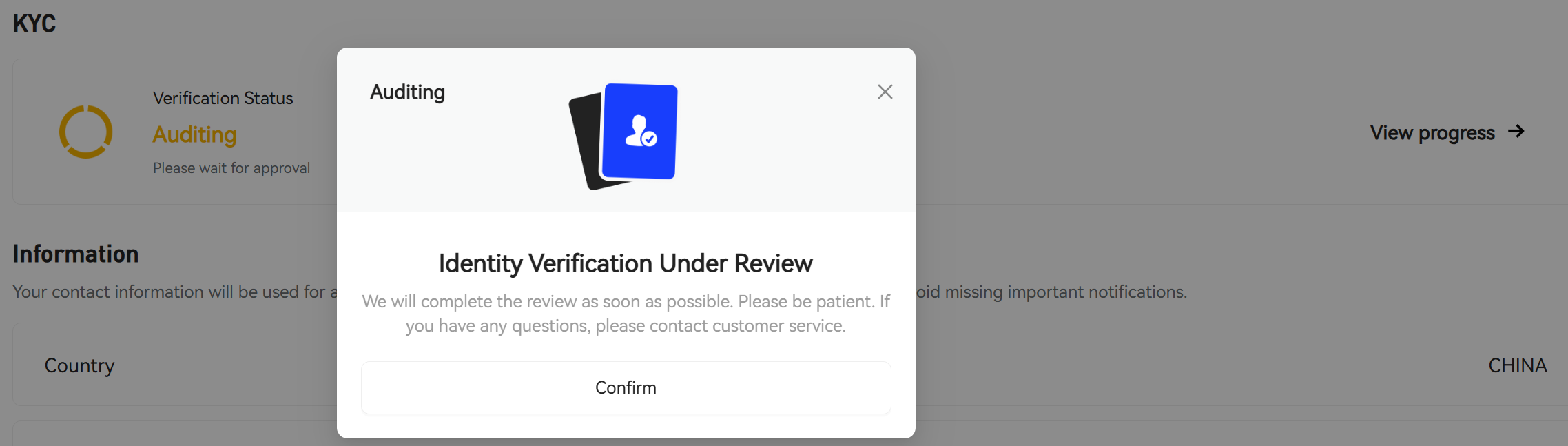
Complete: Complete verification, wait for backend review, How to Review
Fund Transfer
Note: Trading accounts can only perform fund transfers after client identity verification
Step 1: Select "Transfer Out" trading account, click "Transfer"
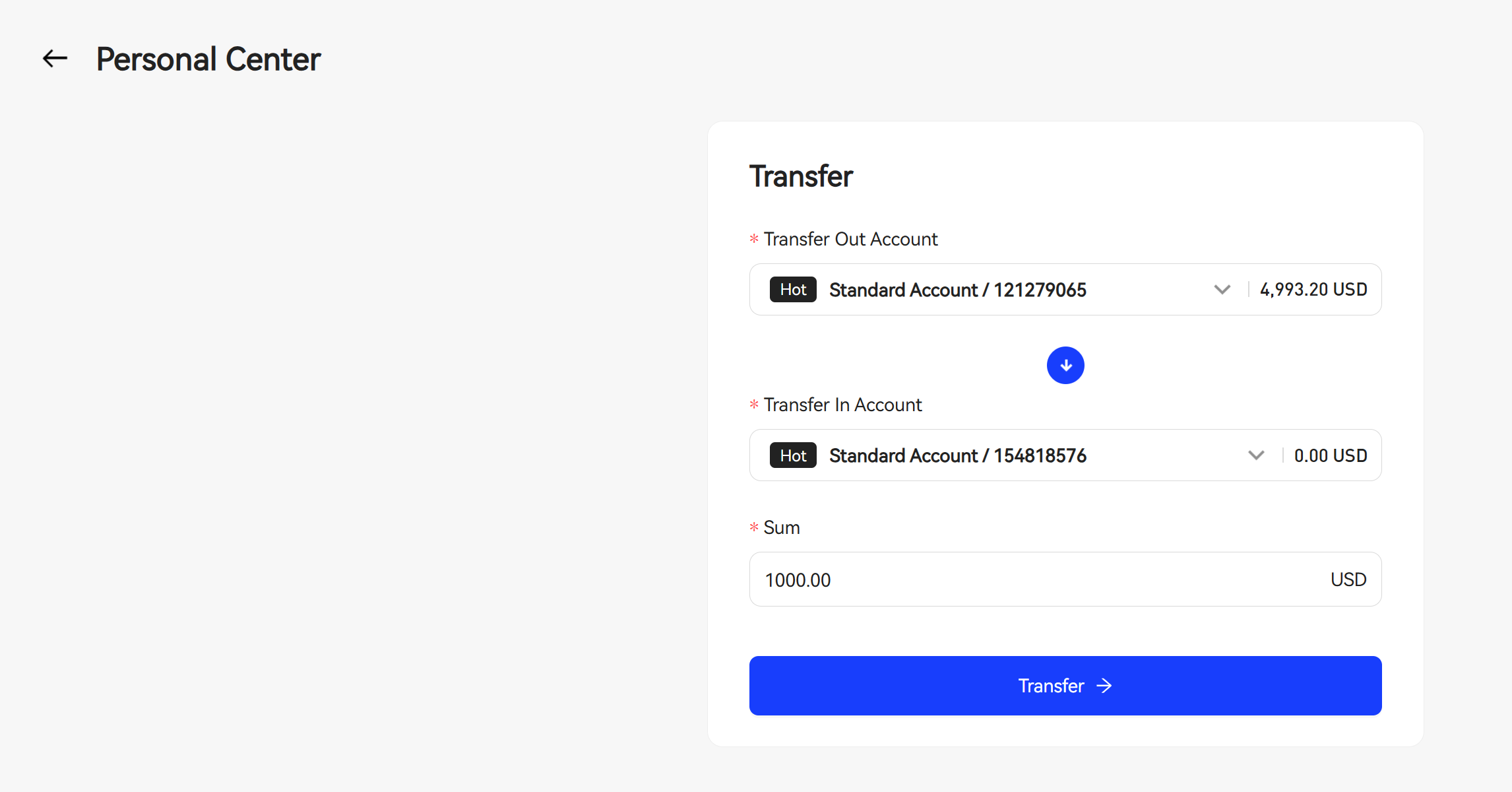
Step 2: Select "Transfer In" trading account, enter "Transfer Amount"
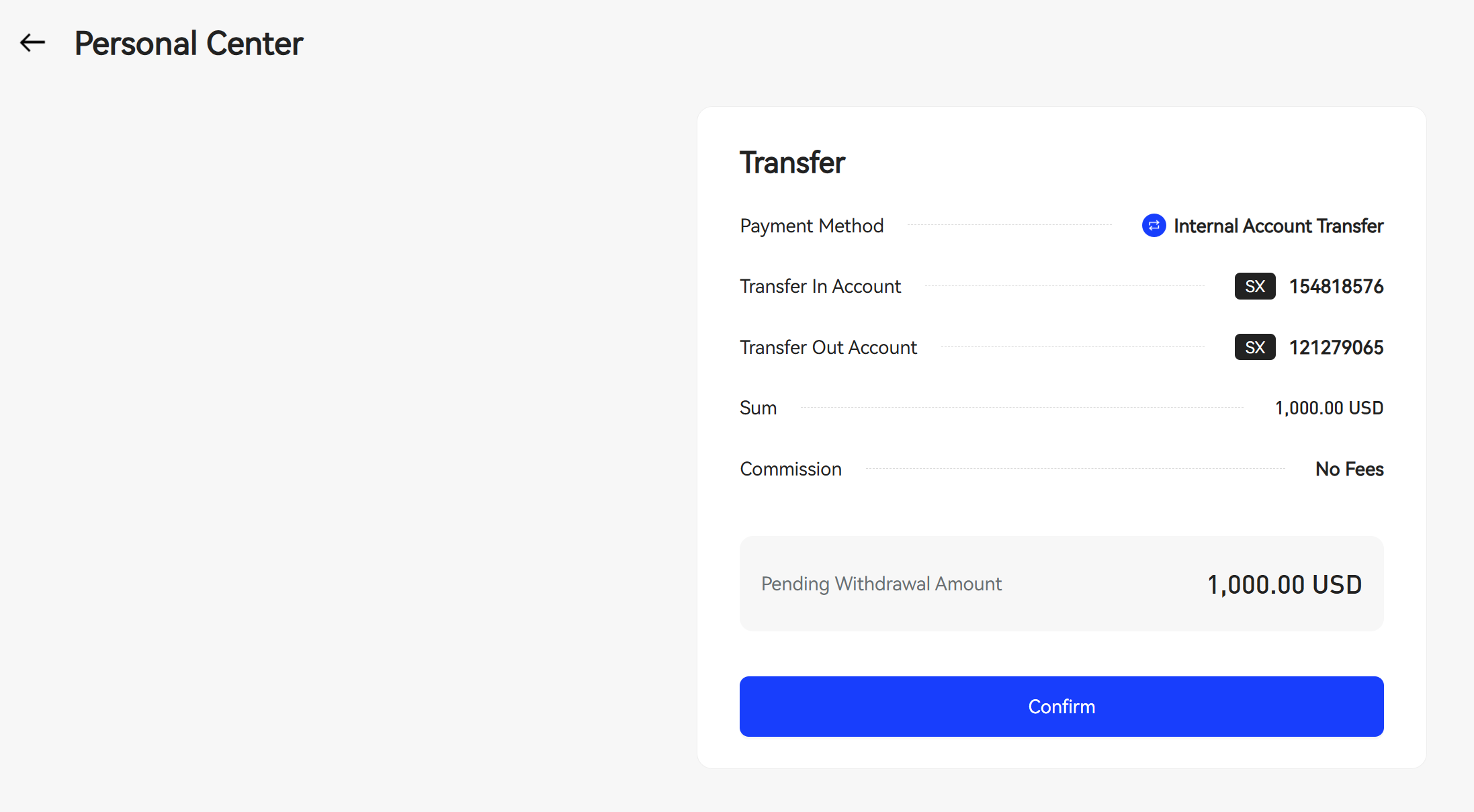
Step 3: Confirm "Transfer Information"
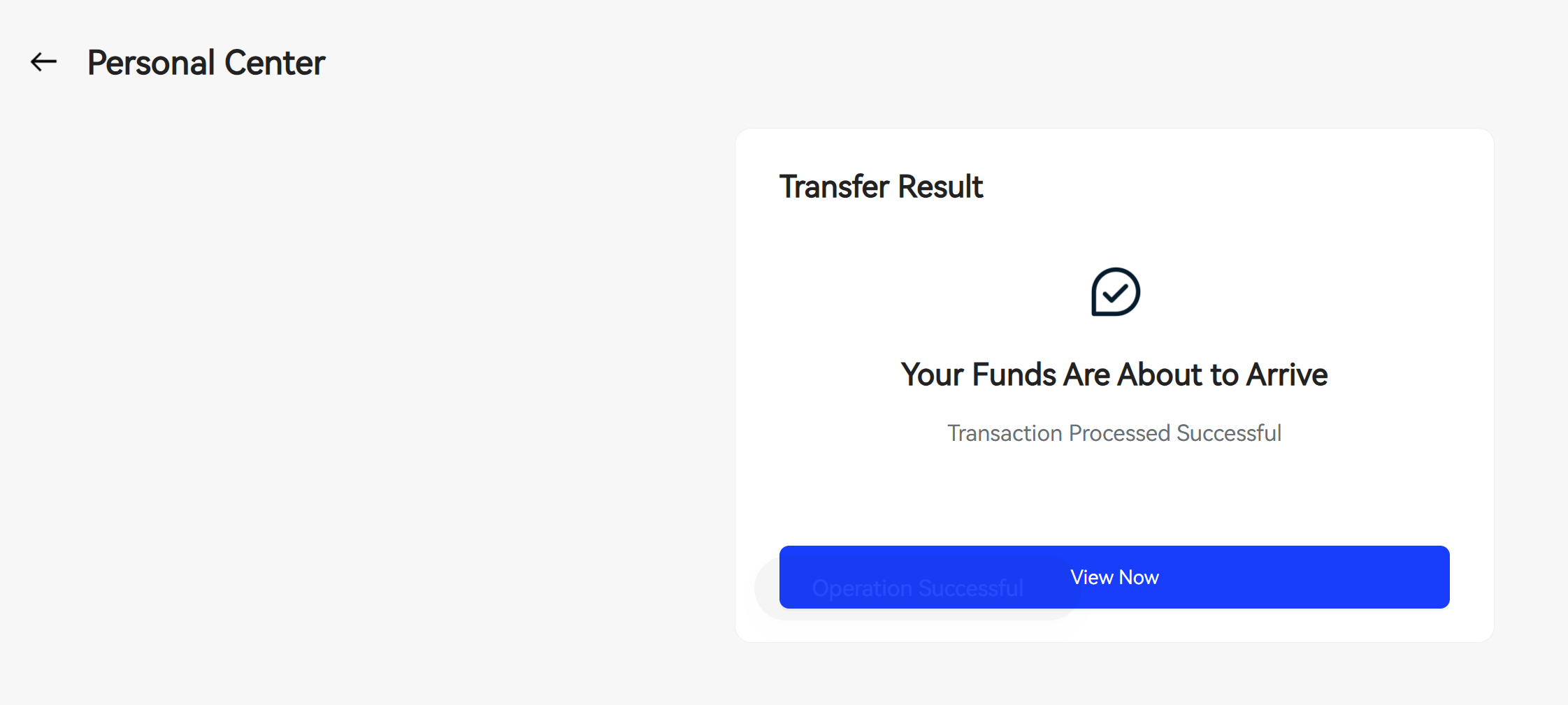
Step 4: Complete
Rename
Step 1: Select "Rename" trading account, click "Rename Account"
Step 2: Enter "New Name", click confirm